
Authored by: Terence Letourneau
Created: 14 Jan. 2019
GVWeb Version3.0 and up
Issue:
Text Inspection report showing square character instead of actual character found in the PDFs submitted for inspection:

Reason:
Make sure the "Correct Display issues" is NOT checked.
Correct Display issues is used to corrects issues such as corrupted fonts that may exist in a PDF file due to the way the file was created and can be found at the file load page.
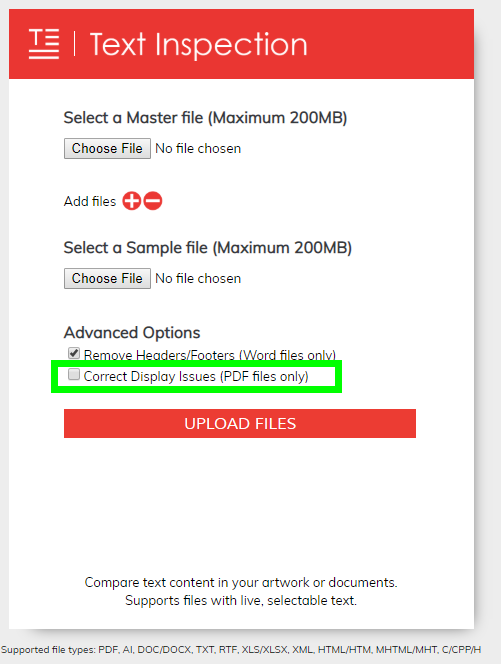
If the PDF document has no issues with fonts, there is no need to use that option.