
|
Article Title |
Java error when loading file |
|
Type (Procedural / Informational / Problem) |
Problem |
|
Software |
Proofware |
|
Software version |
2.0 |
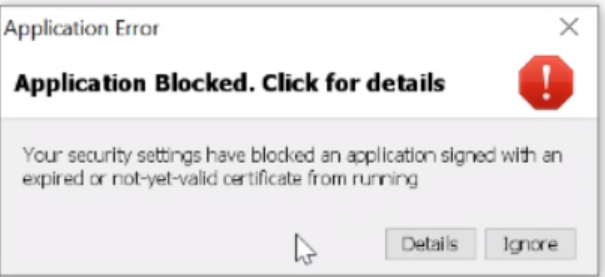
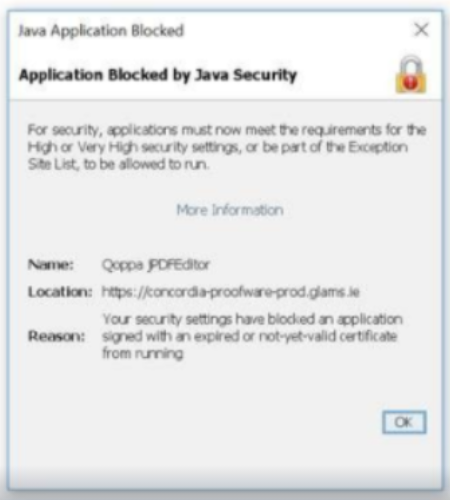
Problem: When the user tries to load the files using GVWeb Proofware 2.0, they see the errors below:
“Application Blocked. click for details” error message as seen below:
Also Java error, “Application Blocked by Java Security” - “Name: Qoppa jPDEitor”
Solution:
-
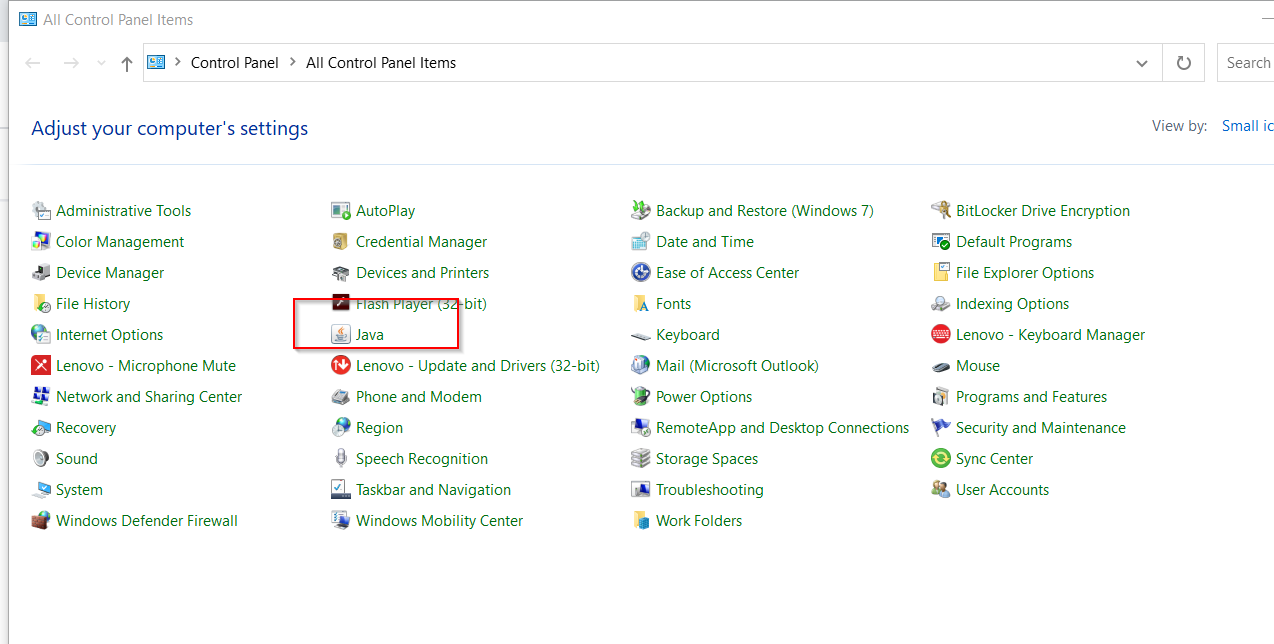
Go to the control panel.
-
Click on Java.
-
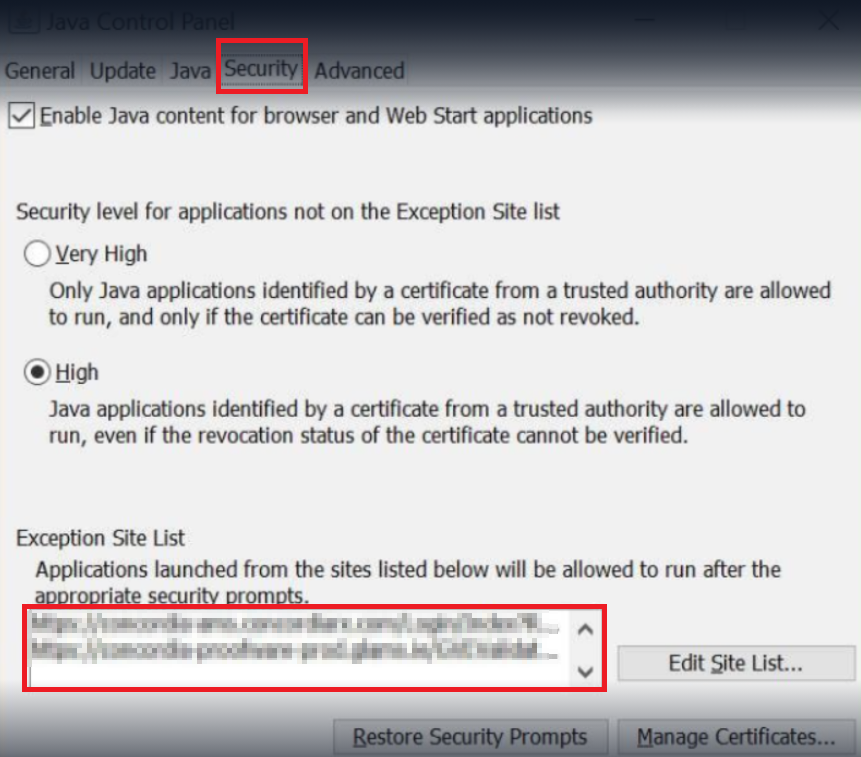
In the Java configure tab, go to the Security tab.
-
Select Edit Site List at the bottom of the Security tab.
-
Type the URL into the box and select Add.
-
Add any other URLs you need to allow.
-
Select OK.
8. Test the application and files loaded correctly.