
Authored by: Terence Letourneau
Created: 13-Apr-2021
|
Article Title |
Excluding text which leads to failing text inspection / Unending inspections |
|
Type (Procedural / Informational /Troubleshooting) |
Troubleshooting |
|
Software |
GlobalVIsion Web |
|
Software version |
All |
Introduction: For text inspections to complete they require live text, if a blank page is included in the inspection, and circumvents the blank page checks already in place, that inspection will eventually fail.
Blank page check:
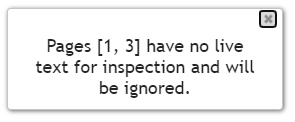
When documents are first loaded into GlobalVision Web, if blank pages are detected a message will appear advising of the detection and the pages will be ignored:
PDF Trim Box
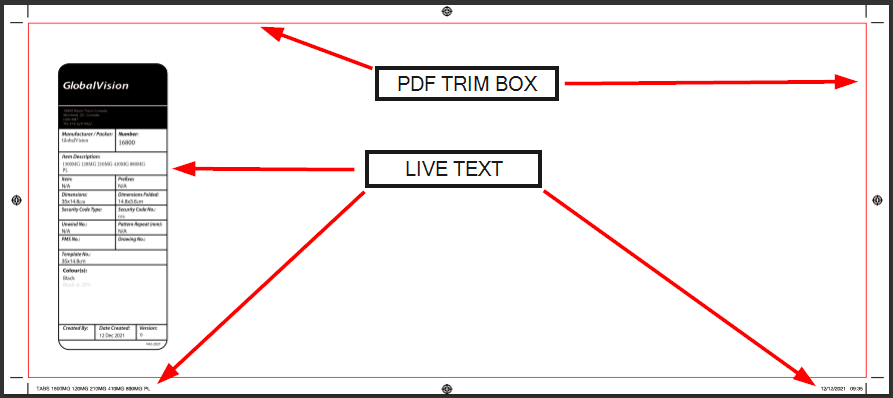
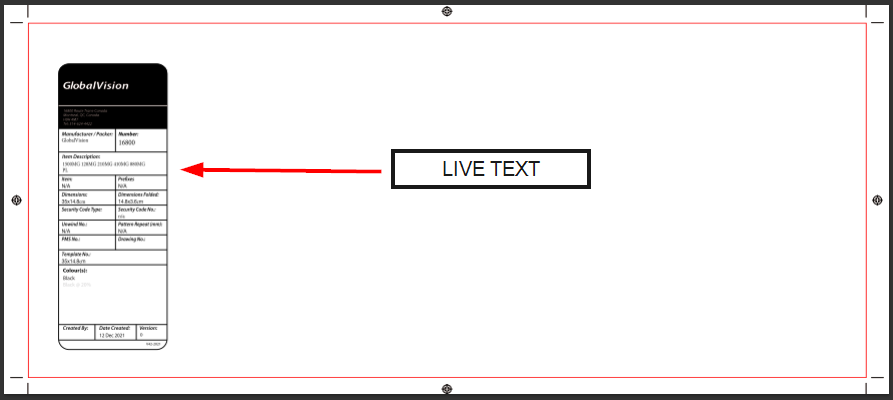
If a PDF Trim box is detected, GlobalVision Web will apply it. This will direct the inspection to ignore page content that lies outside the trim box. The page itself does not trigger the blank page detection which occurs during file loading process.
Example:
What we see
What the inspection sees
Cross-out tool
The cross-out tool is helpful in directing the inspection to avoid certain text
If we apply the cross-out tool to our example above, crossing out all text within that box (titled GlobalVision), the inspection will ignore that text.
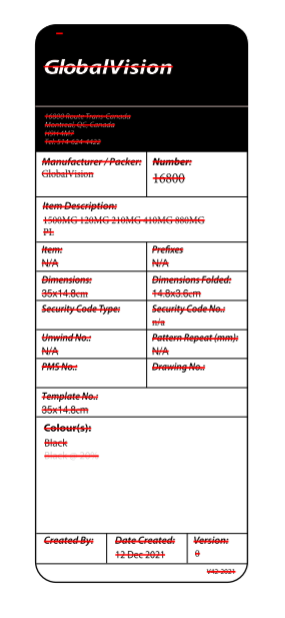
Crossed out text:
What we see:
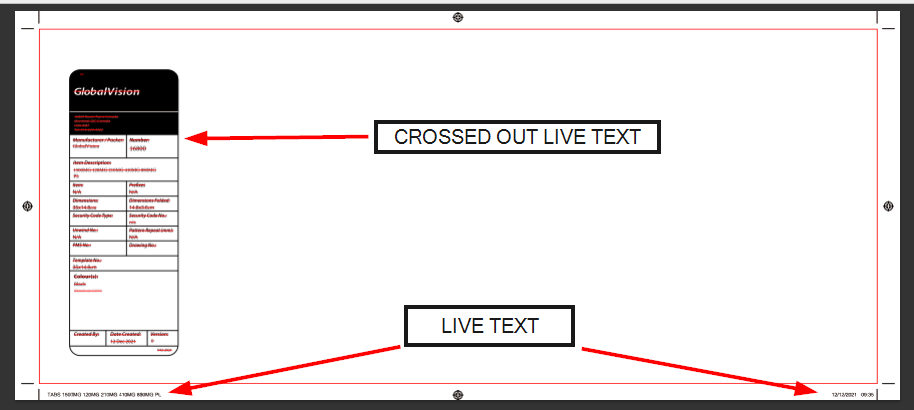
What GlobalVision Web sees:
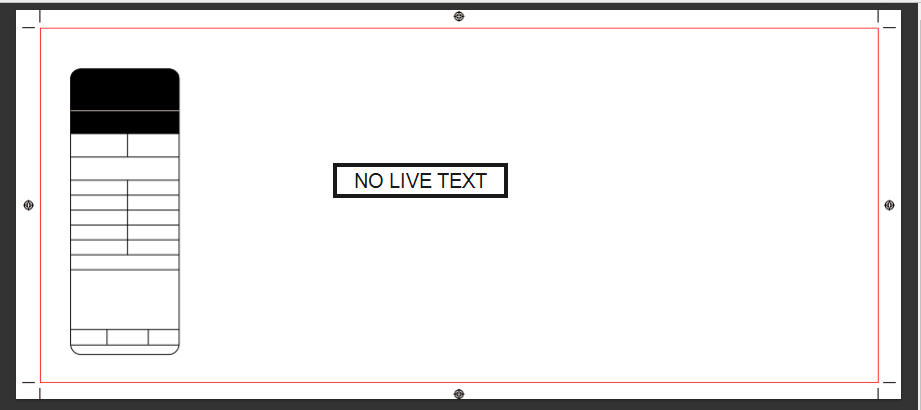
Since this page was loaded (and passed the blank page verification) with live text and we canceled out the live text, GlobalVision Web will allow the text inspection to proceed.
However, since we have instructed the inspection to avoid any live text on that page and include the page with the inspection, the software will run until it tries to find live text and will eventually provide an error saying a report could not be generated.
Solution:
If a page is intentionally rendered blank (by cross-out and trim box) please exclude that page from the inspection altogether.