
Summary: Color calibrated Epson scanners will have an ICC (.ICM) file. To check and confirm if an Epson scanner has been color calibrated, follow the below steps.
-
Launch Epson Scan software.
-
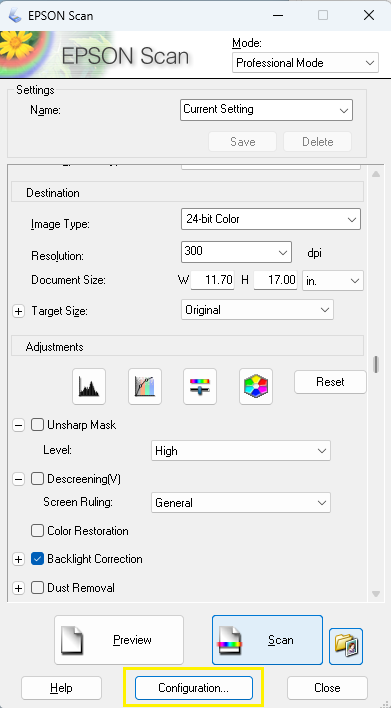
From the main window, click Configuration at the bottom.
-
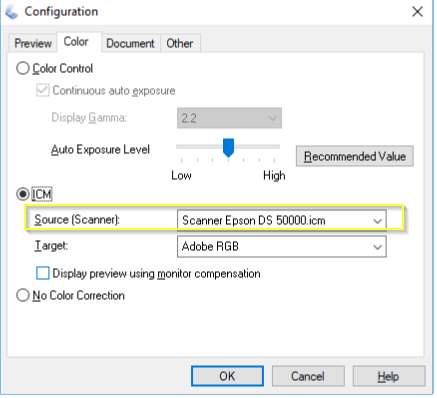
Scroll down to the ICM section and take a screenshot of the Source (Scanner) field which contains the color profile (.ICM)
For color calibrated Contex scanner, please see How to check if your Contex Scanner is color calibrated