
Retain Inspection Results and Run a New Inspection

-
Click Back. The Main View displays with the Master and Sample images loaded. To load new files, follow the steps described under the Step-by-Step section.
-
Click Inspect. The files are inspected, and the differences display in the Inspection View. Each subsequent retained inspection gets listed in the Inspections panel.
Clear Inspection Results and Run a New Inspection

-
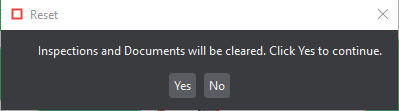
Click Reset. A message displays, asking if you want to continue.
-
Click Yes to clear inspection results and documents. The Main View displays.