
This article is specific to the integration between VerifyAPI and Esko Automation Engine.
Concept
When you run a graphics inspection via VerifyAPI, there is a parameter in the results metadata (JSON or XML) that states if the inspection was able to find a match and compare the Master and Sample files, or if this match failed:
-
graphicsFilesNotComparable-
falsemeans that the inspection found a graphics match and ran successfully -
truemeans that the algorithm wasn’t able to match the master and sample files to run the inspection. When this happens, the PDF report will show 0 results, “No Differences Found”.
-
How to update your Esko AE workflow to account for this parameter
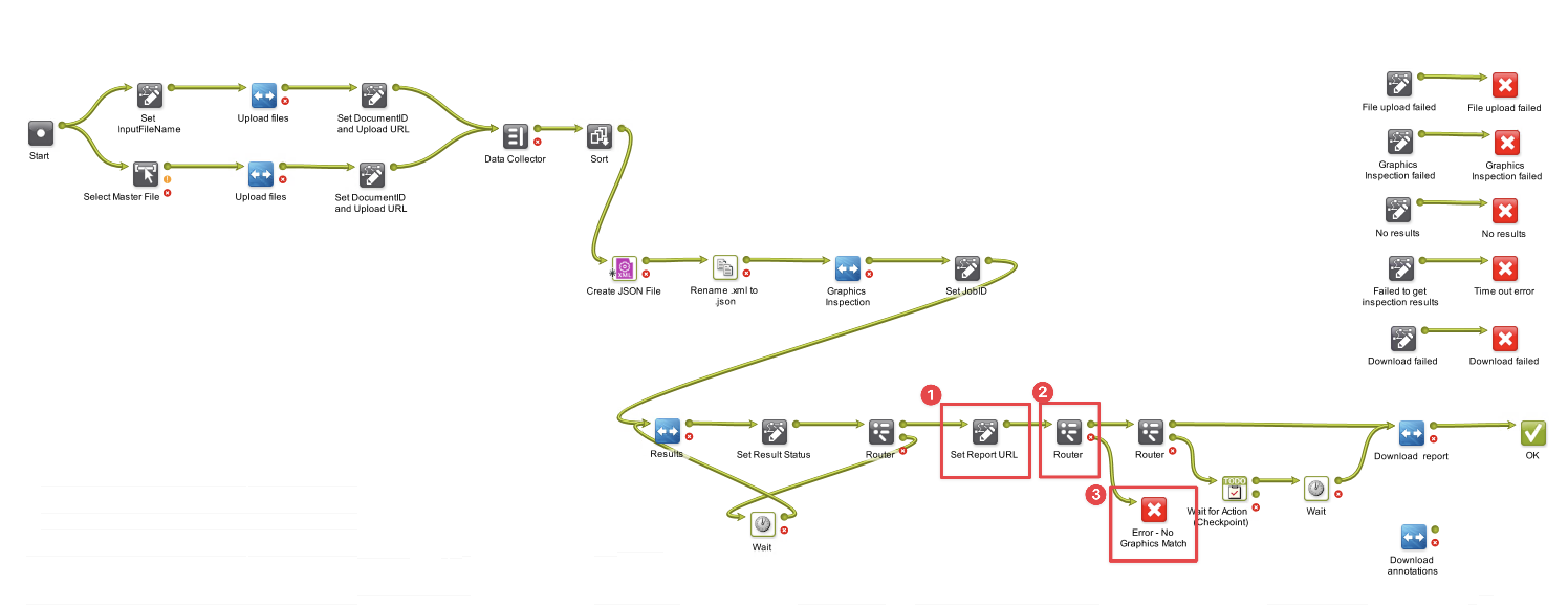
Step 1: Retrieve the graphics match parameter from the inspection results metadata
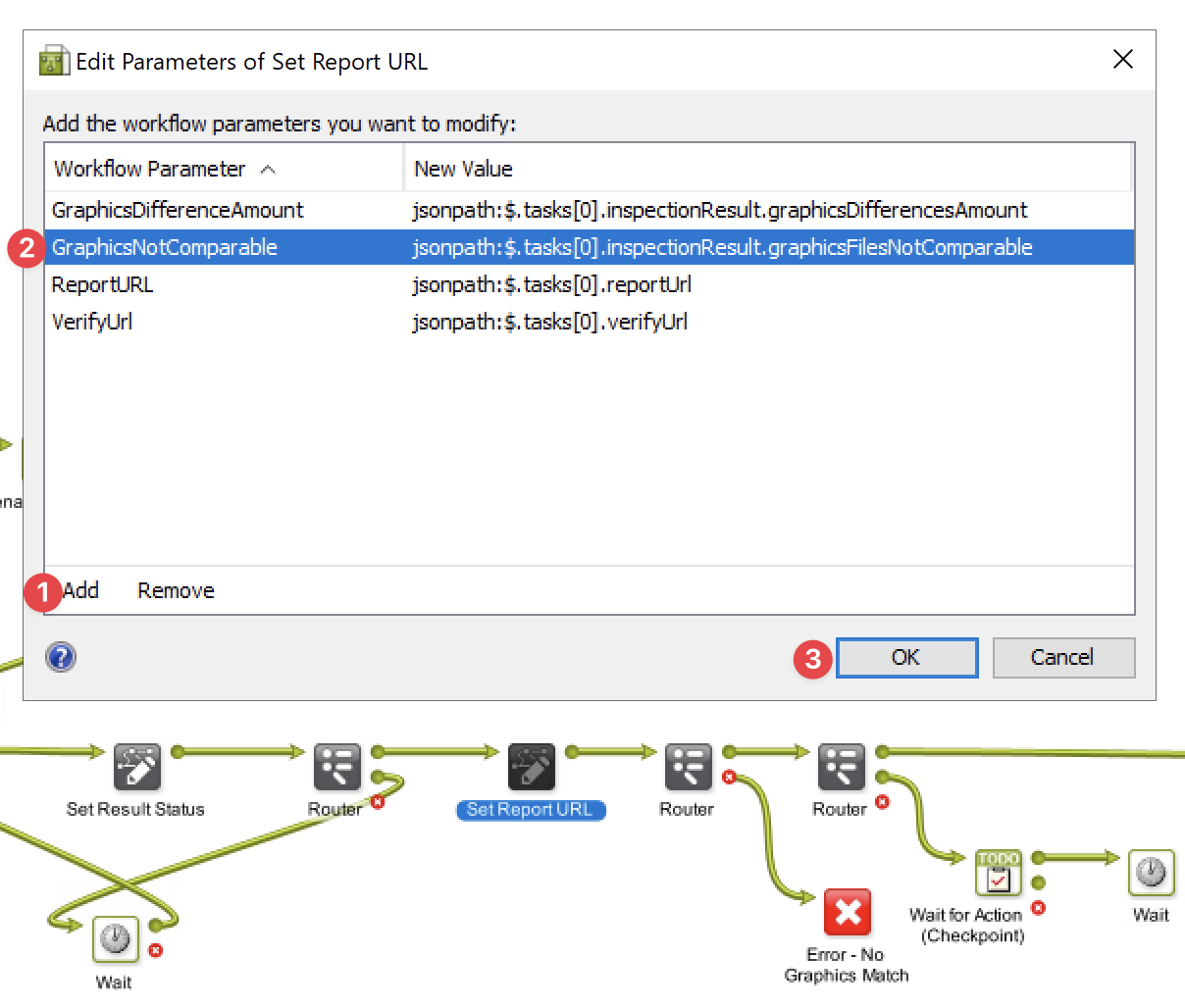
-
Workflow Parameter: GraphicsNotComparable
-
New Value:
jsonpath:$.tasks[0].inspectionResult.graphicsFilesNotComparable
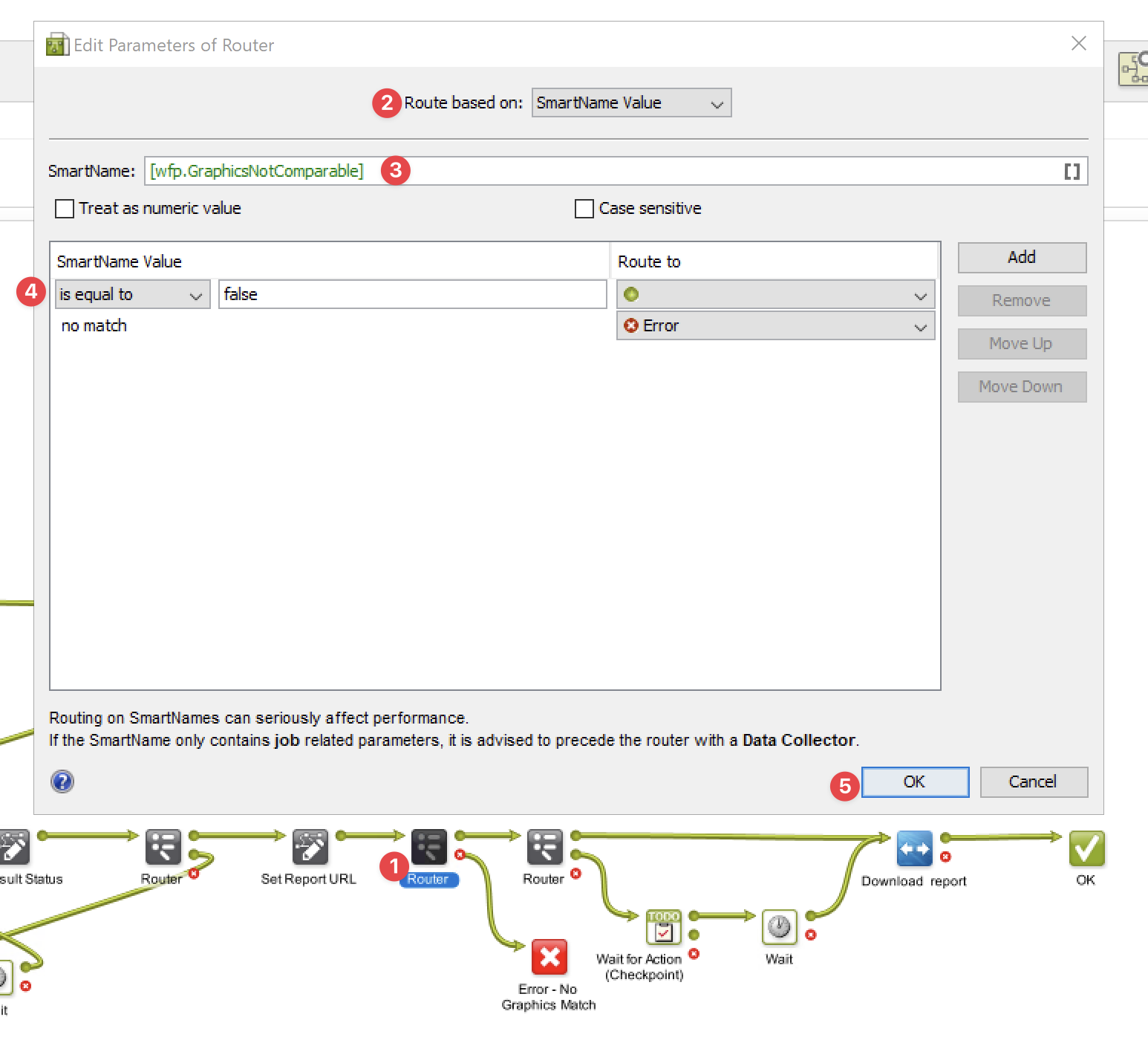
Step 2: Add a new router to evaluate the graphics match parameter
Step 3: Configure the workflow state then the inspection match fails
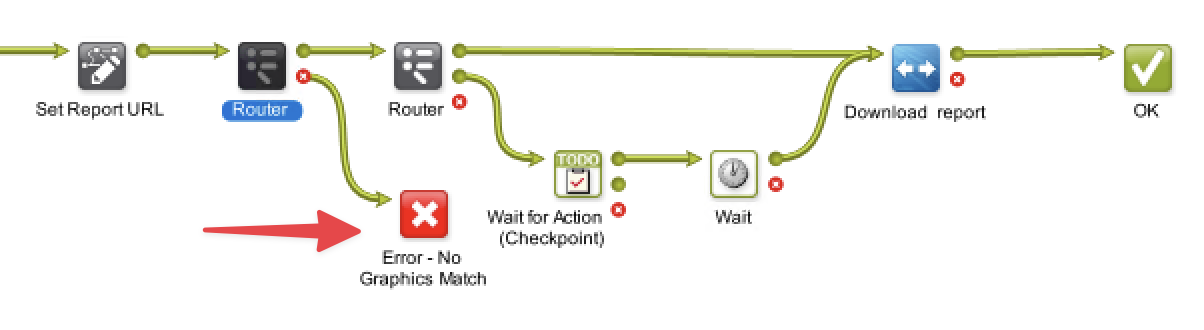
This is just a demonstration of how the error state can be configured; you can reroute the workflow to any task/state that suits your processes.