
|
Software |
i-Count |
|
Software version |
3.0.2 and 3.0.4 |
Problem: The i-Count default camera settings have been changed
Solution: Return the i-count setting to the default.
-
All i-count users must have local admin access. You need to login to I-Count using the admin credentials.
-
Select Setup
-
Click on Camera Setup
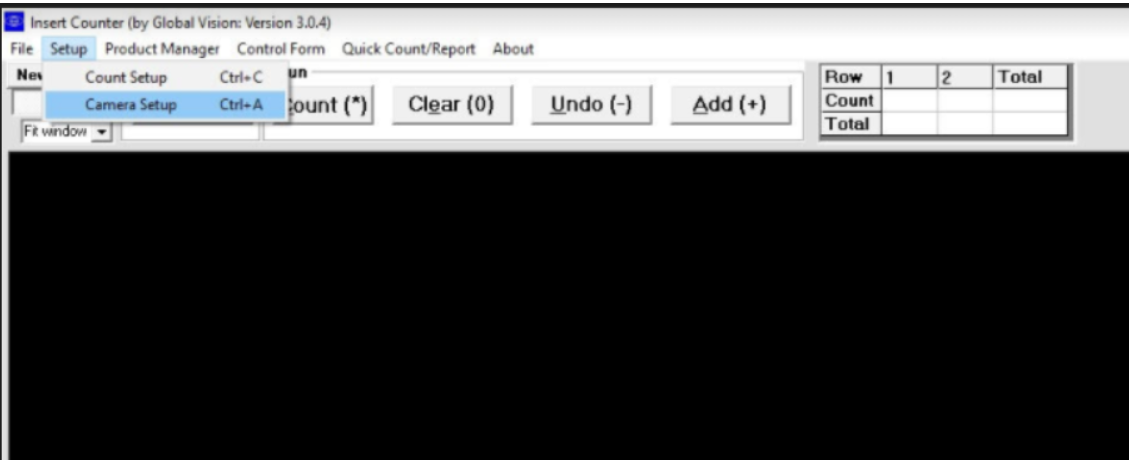
4. Make sure the values on the i-count are:
Contrast is 30
Exposure is 57
Brightness is 71
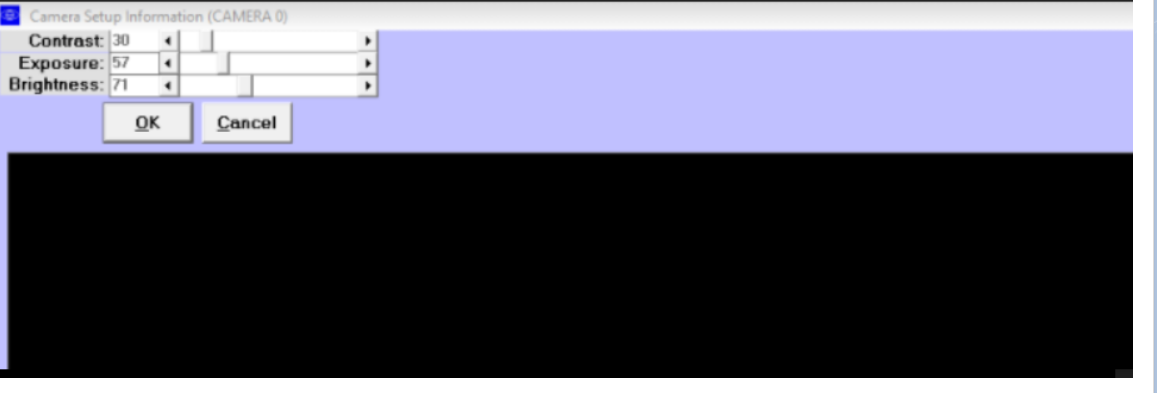
Note that these values can be off by one digit.