
Question: How do I back up customized profiles for GVD Versions 5.7.0+?
Answer:
-
Go to C:\ProgramData\GlobalVision\ and make a copy of the Setups and Barcode folder. This is where their customized profiles are located.
-
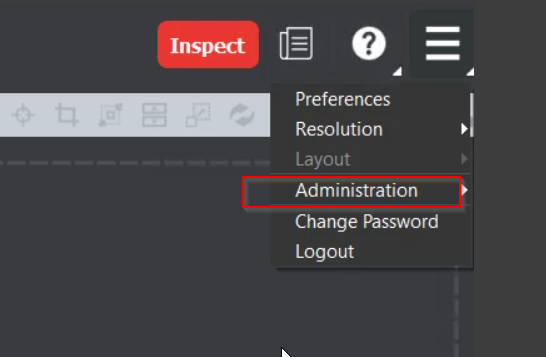
Back up the database that contains Users, audit trails, and reports. Login to GV Desktop using admin credentials.
Choose Administration
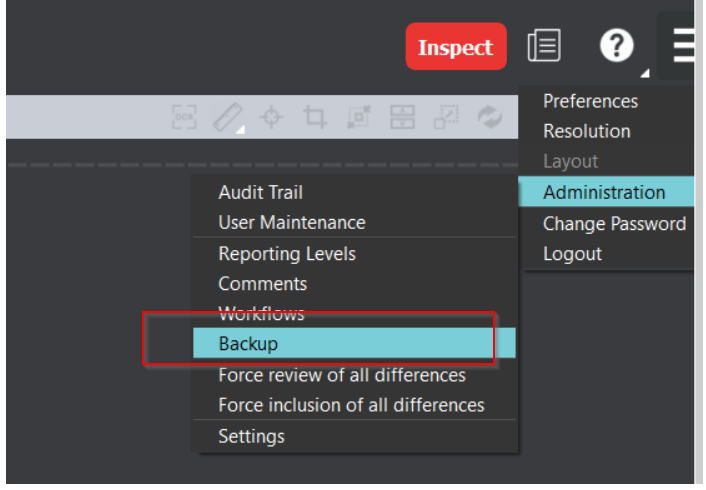
Choose backup:
Choose Export:
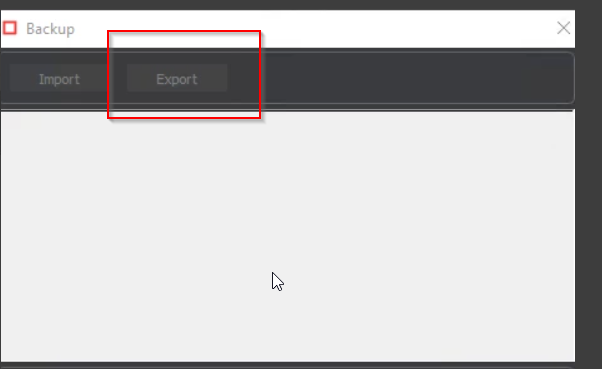
Save the file anywhere on the computer.
We recommend backing up the customized profiles when upgrading as good practice but it is not required.
For assistance, please contact support@globalvision.co