
Authored by: Terence Letourneau
Created: 03-Mar-2021
|
Article Title |
GVD - Troubleshooting - How to find basic System Specifications |
|
Type (Procedural / Informational /Troubleshooting) |
Informational/Troubleshooting |
|
Software |
Windows |
An important bit of information for troubleshooting an application issue is knowing the specifics of the system being used, below are steps on how to find that information and easily share it.
Finding the information
-
Click on the Start button (Windows logo) typically at the bottom left of your screen
-
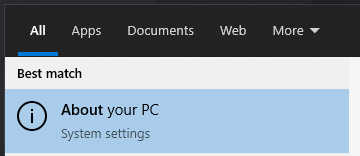
Type the word About
-
Windows should suggest About your PC
-
Click on the suggestion
-
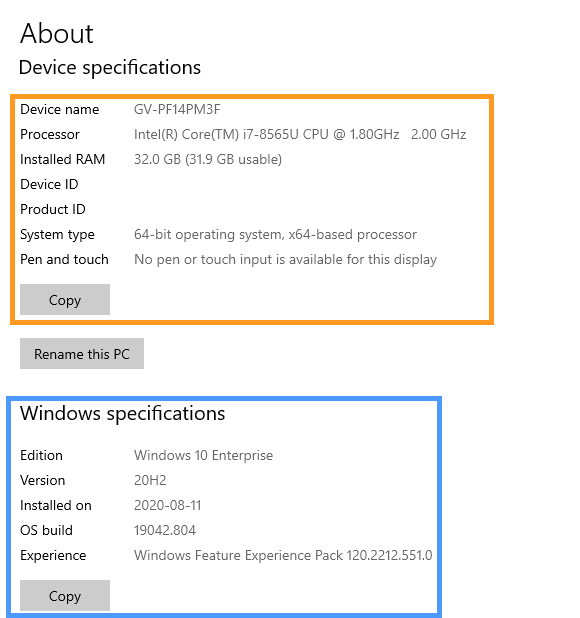
A new window will open providing you device specifications as well as the version of Windows being run
-
Clicking the COPY button will copy the information above it to the clipboard allowing you to easily share it with others