
Issue: I loaded my Source and New files and the inspection completed but the Results page is blank.
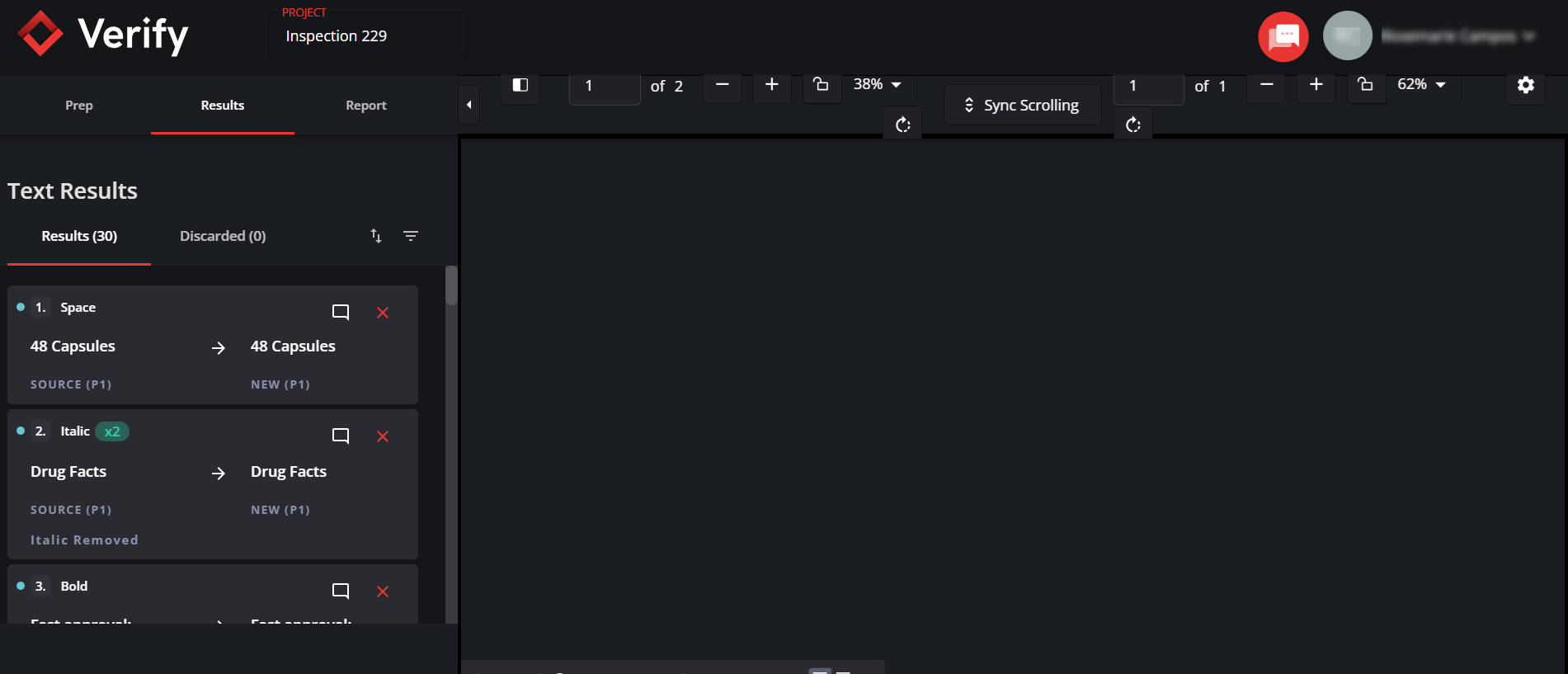
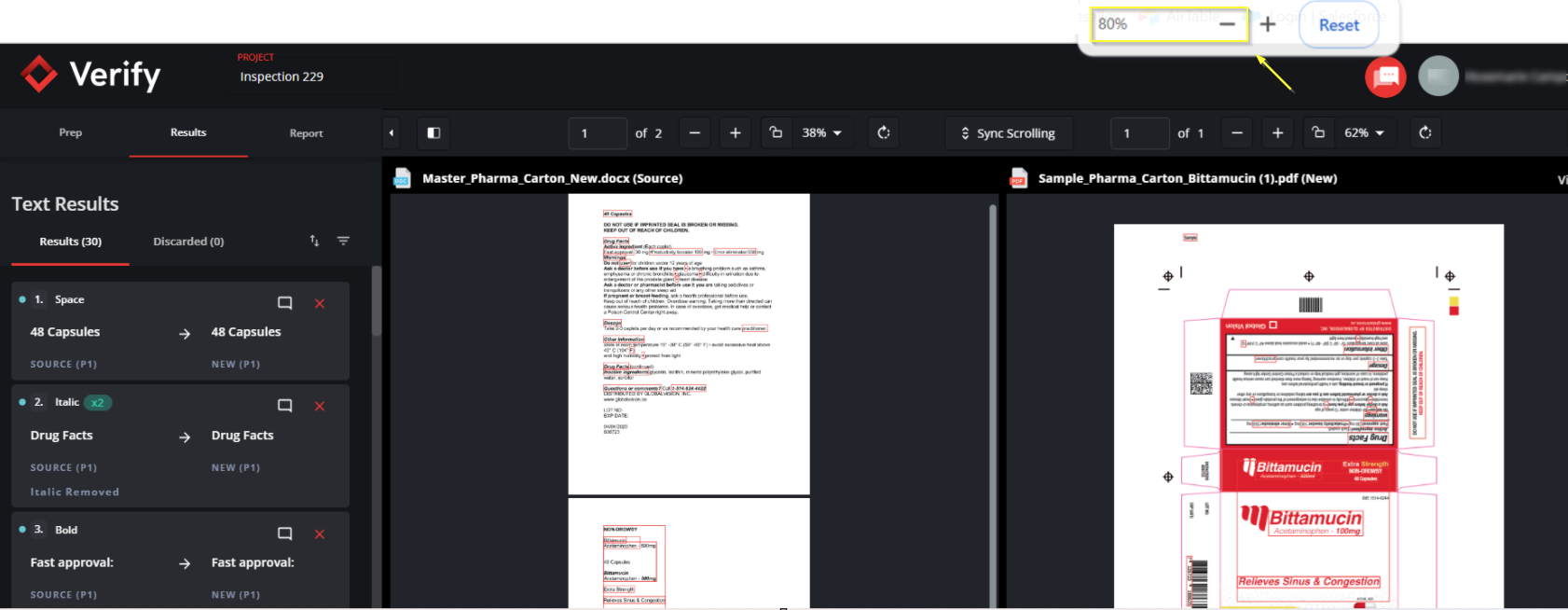
Resolution: The browser zoom is impacting the display. Lower the zoom percentage.
While in Google Chrome click the small three dots on the top right side of the browser window to bring up the options menu. Beside Zoom select the minus(-) to decrease the zoom.
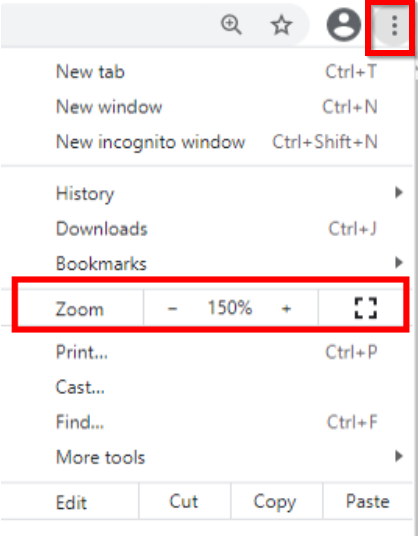
Or you can press CTRL and minus(-) on the keyboard for Windows or Command and minus(-) for MAC.
Please feel free to email support@globalvision.co if you have any additional questions. We are happy to help!