Authored by: John Petrie
Created: December 24, 2020
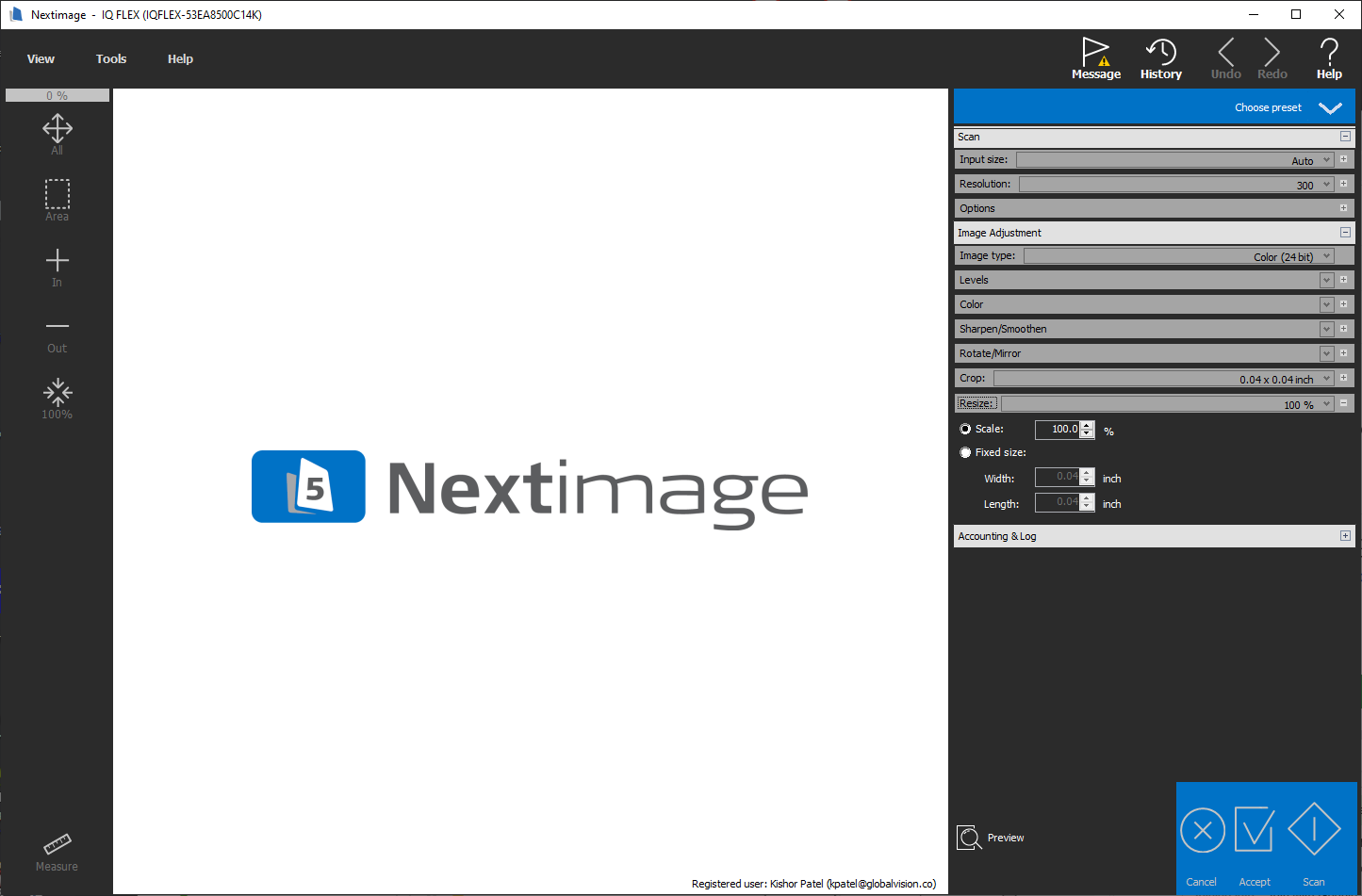
When scanning through GlobalVision to open up NextImage software, the below settings should be reviewed to ensure proper quality scans are made.
-
Always ensure 300 DPI is used as scanning Resolution
-
Images being compared in Graphic Inspection need to be the same DPI. Most PDF files are created at 300 DPI.
Ensure the Scale setting is set to 100%
-
If an image is scanned at a different scale, GlobalVision software will have difficulty aligning the images for Graphic Inspection because the images cannot align for the Master and Sample.